Stop coordinating production
in spreadsheets
Orkyo is production scheduling software for manufacturing teams — one plan for the machines, people, and tools that run your jobs, so work gets scheduled, conflicts get caught, and capacity doesn't go to waste.
For production planners, operations managers, and workshop leads. Mobile ready: at the desk and on the floor.
Prefer to self-host? Get the Community Edition on GitHub.
The problem
Shop floors run on limited resources.
Do you still track them by hand?
Jobs compete for the same resources
Machines, tools and equipment, and skilled people are limited. When planning happens in emails and spreadsheets, conflicts are discovered too late — after commitments are made.
Coordination overhead grows with scale
More sites, more teams, more products means more meetings, more version-of-truth problems, and more time spent chasing status updates instead of planning.
Utilization is invisible until it hurts
Underused capacity and overloaded machines both cost money. Without a central view, it's hard to see either until a delivery date slips.
Running a machine shop? See how Orkyo schedules jobs onto machines. Running a job shop? See job shop scheduling. Not sure Orkyo fits at all? Take the two-minute fit check.
How it works
Plan. Assign. Ship.
Define your resources
Pick the kinds of resource you run — mills, benches, people, forklifts — or define your own. Set capabilities, availability, and site assignments once, and Orkyo uses them every time.
Submit and schedule jobs
Teams submit jobs as structured requests with requirements. Orkyo matches them to available resources, flags conflicts before they're committed, and builds a shared plan.
Track utilization in real time
See exactly what's booked, what's free, and where bottlenecks are forming — across all your sites — without chasing updates from individual teams.
Features
Everything a production team needs.
Nothing they don't.
Job and request management
Every job enters as a structured request with its requirements attached. Orkyo matches it to the right resources, routes it through approval, and turns it into a scheduled plan.
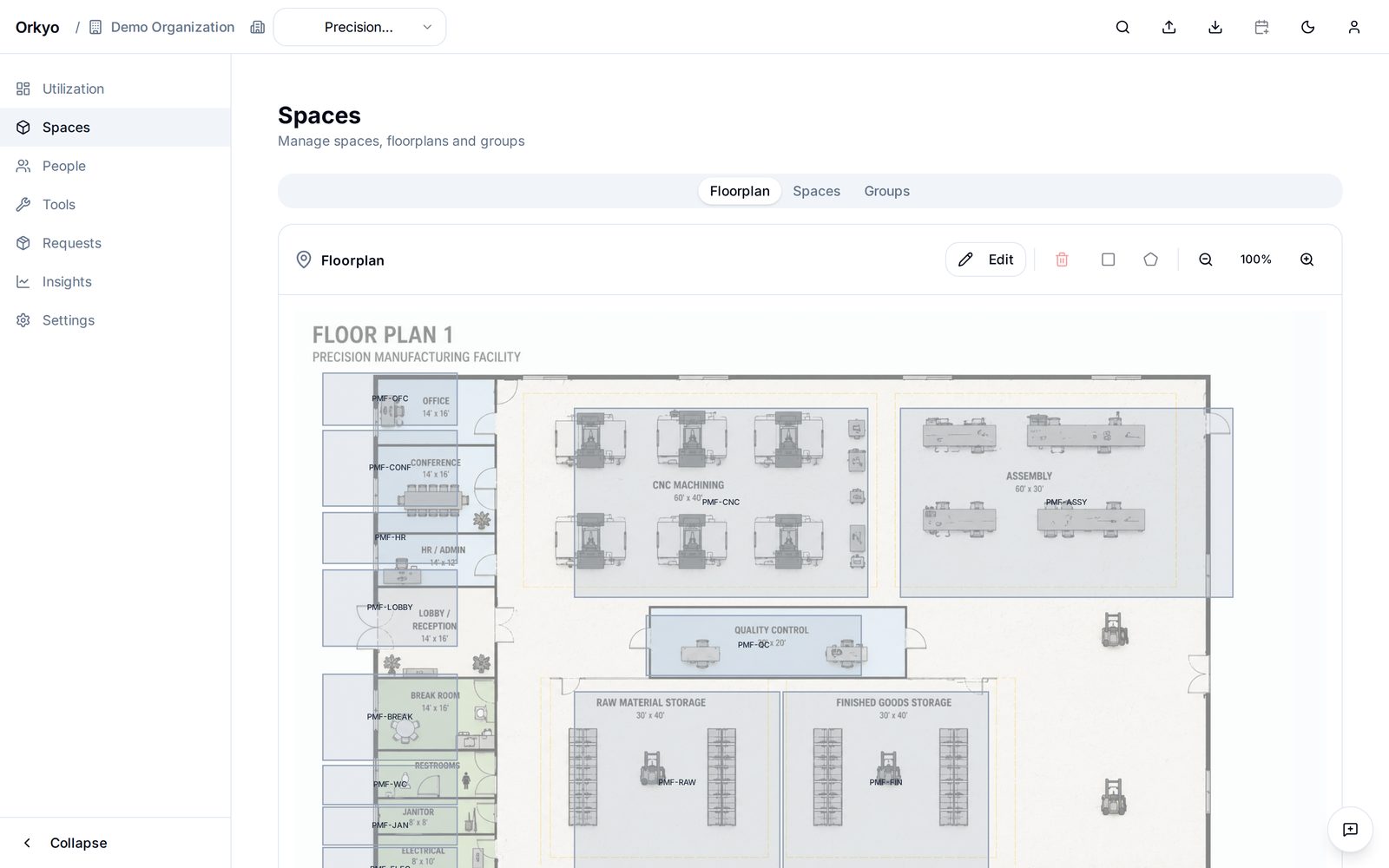
Visual floorplan scheduling
One plan per site, holding everything that stands on it. Drag to place, draw to add, and see what's allocated, what's free, and what's in conflict at a glance.
People scheduling
Schedule skilled people the same way you schedule machines — with capability matching, groups and job titles, and absence handling built in.
Your types, your fields
Activate the resource kinds you run from a catalog, or define your own. Give each one the fields it needs, and keep its reference data — departments, maintenance history — as lists that belong to it.
Conflict detection
Catch double-bookings, capability mismatches, and overloads automatically — before requests are committed, not after delivery dates are missed.
Utilization and capacity tracking
See where your production capacity is going — and where it's being wasted. Make planning decisions based on data, not estimates.
Put a sticker on it, then scan it
Stick a QR label on a machine or a tool — any roll you already own — and link it once from your phone. From then on, a scan of that sticker shows the resource as it is right now: what is running on it, what comes next, whether it is down for maintenance, its conflicts, and how busy it has been. Walking the floor with unlabelled kit? Scan the blank sticker, pick the resource, and it is linked on the spot. One code names one resource, a resource can carry several, and you can switch the whole thing off per resource type — people rarely want a barcode. How QR codes work
Mobile ready: the plan goes where the work is
Orkyo runs on the phone in your pocket, not only on the planner's monitor. Open it on the floor and the schedule reads as an agenda, lists read as cards, and the scan button sits in the top bar. Add it to the home screen and it opens like an app — nothing to install, no app store, and the same login and permissions as at the desk. See the features
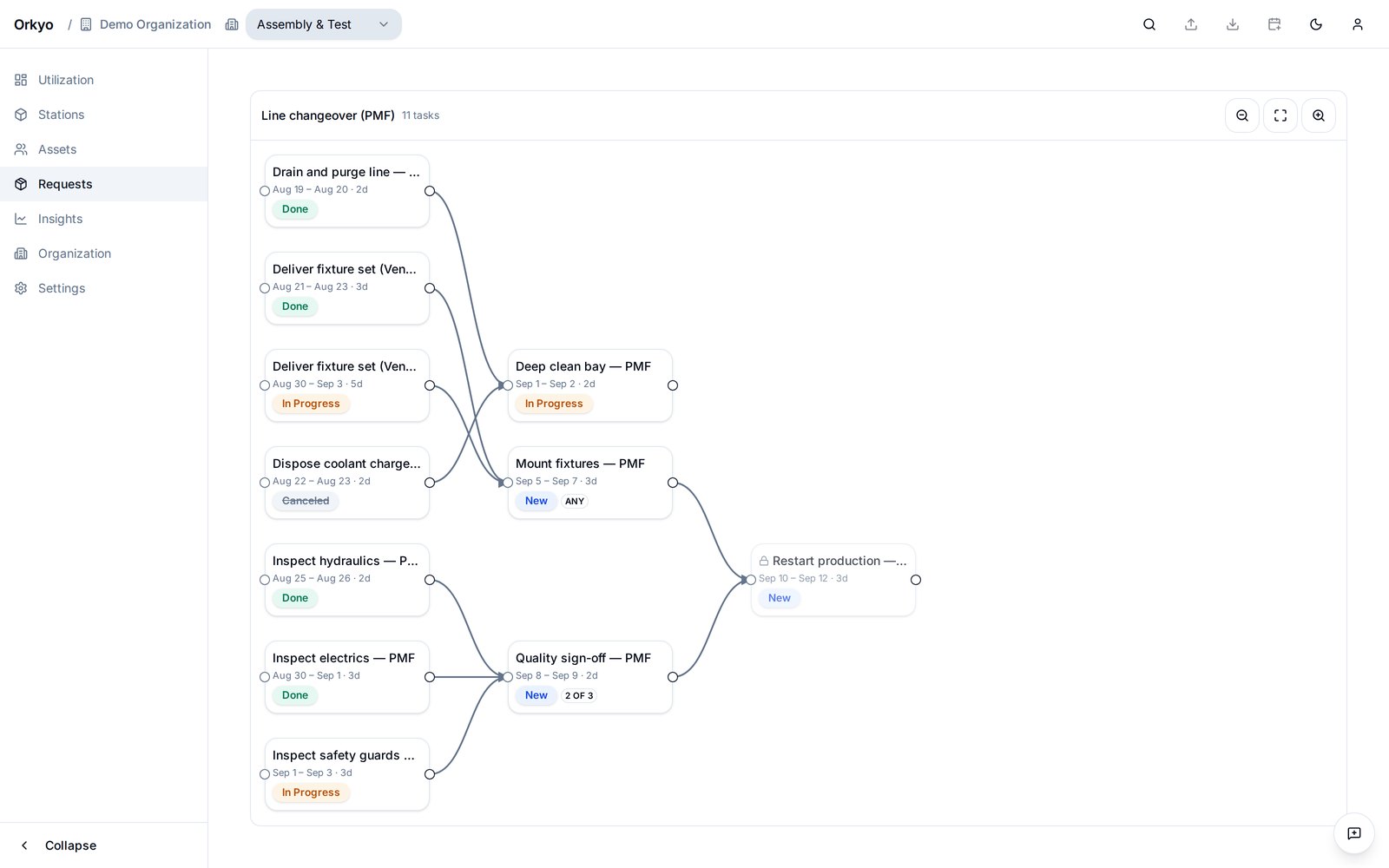
Break a job into steps, and put them in order
Draw the dependencies between the tasks of a job and Orkyo holds each one until the work it waits for is done. A task can wait for all of its predecessors, for any one of them, or for a number you choose — so a delivery from either supplier releases the next step. Canceled work drops out of the condition instead of blocking the job forever. How dependencies work
Talk to your schedule
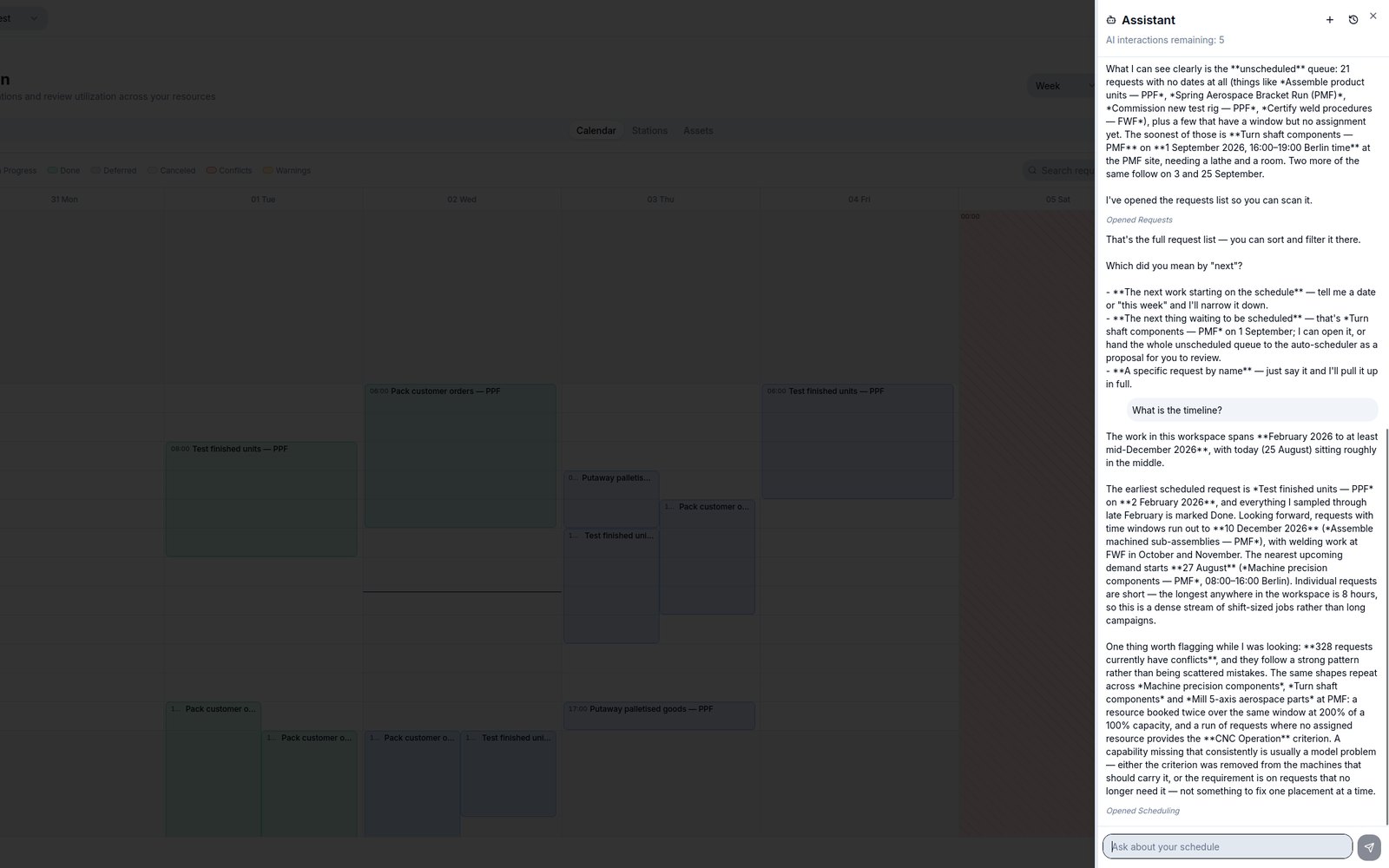
Hand the assistant a backlog and it plans the site. Ask why a job is in conflict and it answers in plain language, opens the page it is talking about, and applies the fix on your approval. It runs on your own Anthropic API key — or point any MCP client at your workspace instead, because Orkyo speaks the Model Context Protocol. Tokens are read-only until you say otherwise, and every change obeys the same rules your team works under. How the assistant works
See what is holding the plan back
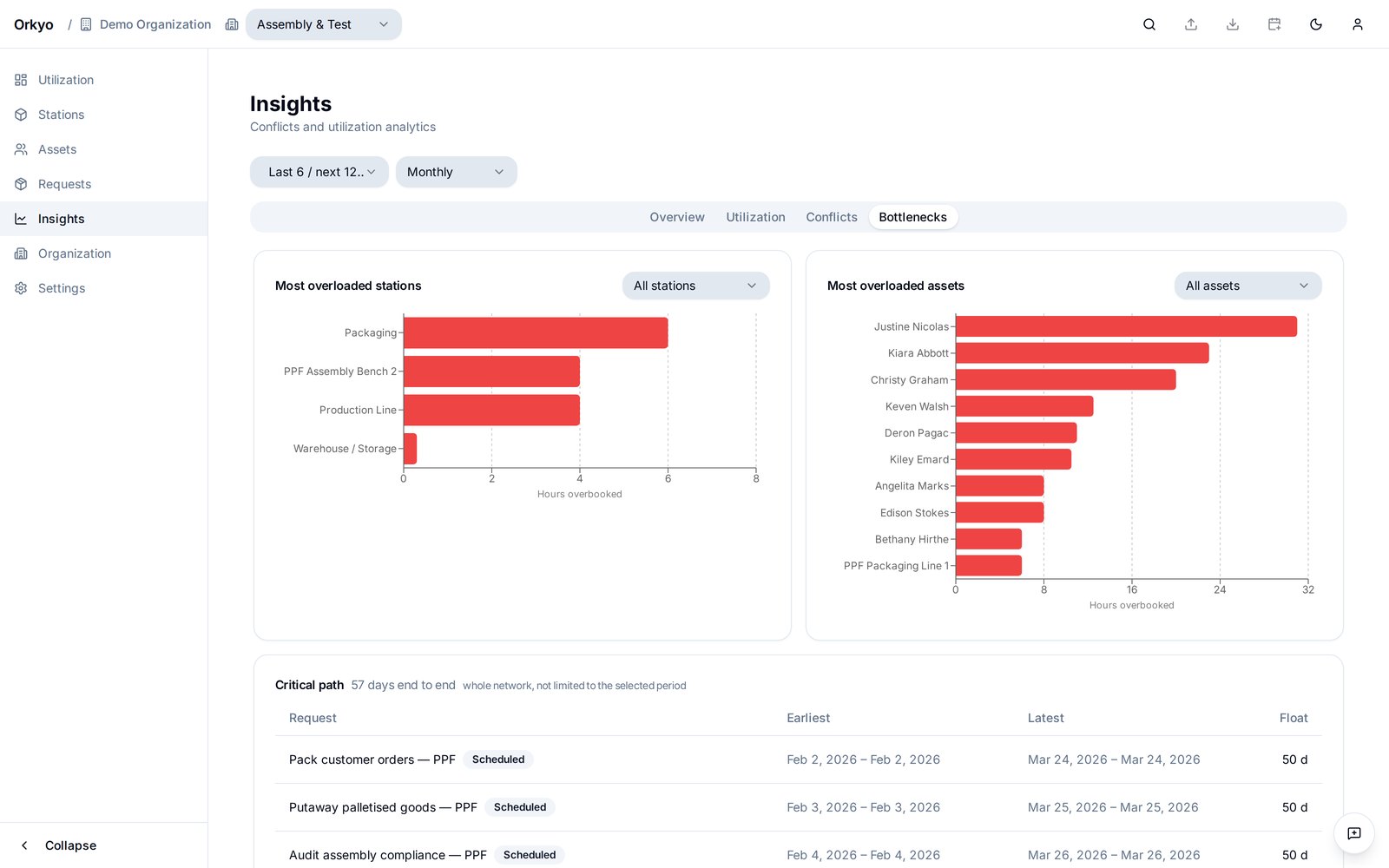
The bottleneck report ranks the stations and people that are overbooked, in hours, so you know which constraint to relieve first. Beside it runs the critical path — the chain of work that decides the finish date, with the float on every other request. Work with float can move. Work on the path cannot.
See it on your own shop floor
Explore the public demo now. Production use is currently available to selected Design Partners only — multi-site support and GDPR-ready, hosted by us or self-hosted on your own infrastructure.