A job shop runs high mix and low volume: no two orders take quite the same path through the shop, and the plan has to be rebuilt every time one changes. Most shops do that in a spreadsheet until the shop grows past it. Orkyo replaces the sheet with a live plan that books the machine, the operator, and the tooling each job actually needs.
Every job takes a different route
In a flow shop the route is fixed and the question is how fast. In a job shop the route is the hard part: this order needs the 5-axis mill then the surface grinder, the next one needs the lathe, a fixture that lives in another cell, and the only operator certified to run it. Scheduling means answering all of that at once, for every open order, and answering it again whenever a rush job lands.
Orkyo models the shop as the resources you actually run rather than a fixed template. Activate the kinds that describe you — mills, lathes, grinders, benches, test stations, fixtures, forklifts, people — rename them to your words, or define a kind nobody thought of. A job carries its requirements, and Orkyo matches them against the resources that satisfy them.
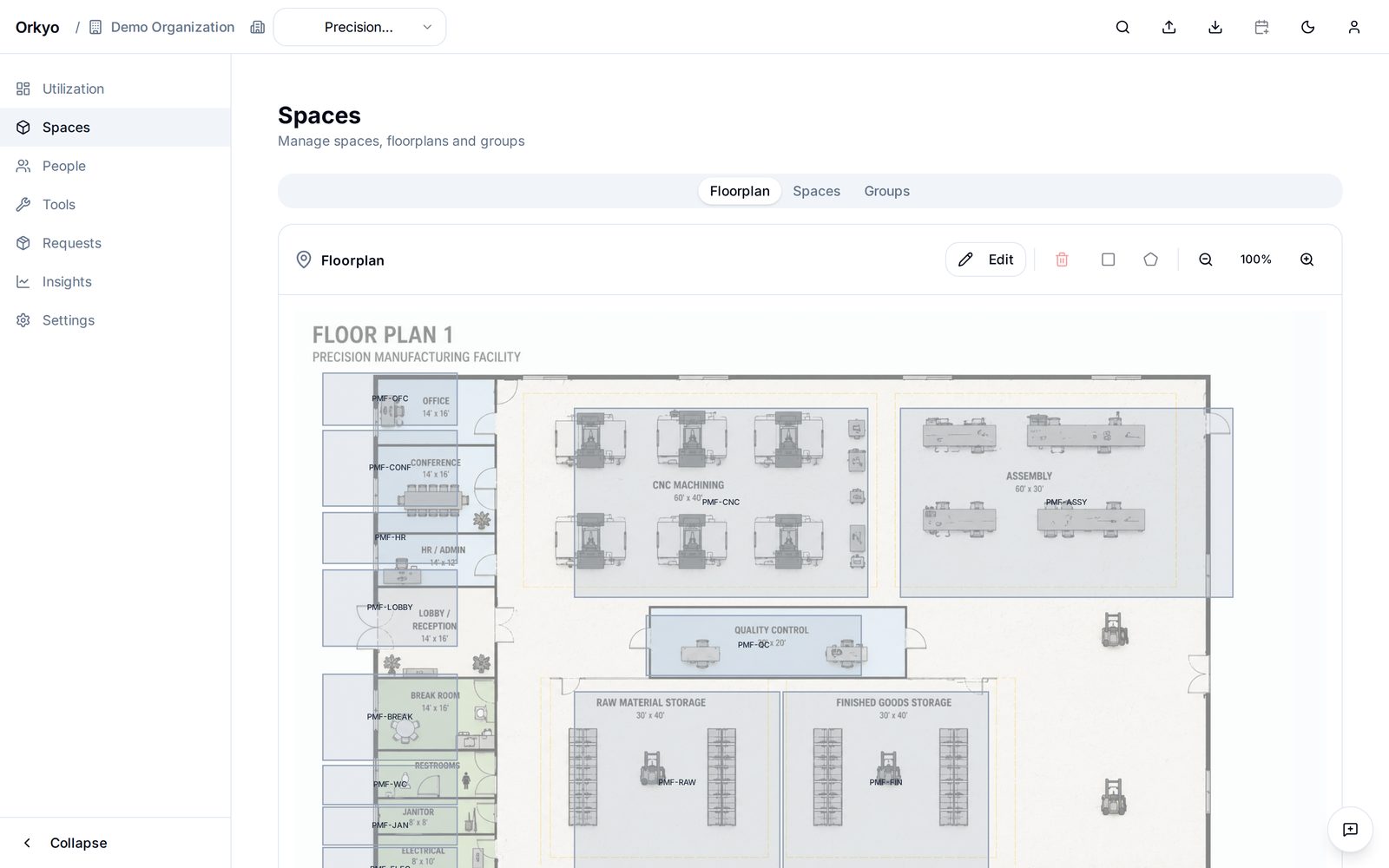
The machine
Mills, lathes, grinders, benches — each with its own capacity, planned downtime, and properties you define.
The tooling
Fixtures, gauges, portable equipment — booked alongside the job, and free to move between machines and sites.
The person
Operators and setters, matched to jobs by the qualifications they actually hold, with absences accounted for.
Call it scheduling, planning, or shop management
Shops use all three words for the same daily job, and the software market splits along the same lines. What matters is which question the tool answers. Orkyo answers what runs where, and when — at day granularity, across every resource a job touches, with conflicts surfaced the moment they are created rather than on the morning the work was due to start.
It does not sequence operations minute by minute, drive machines, or track stock. That boundary is deliberate, and we have written it out in full.
Where the job shop spreadsheet breaks
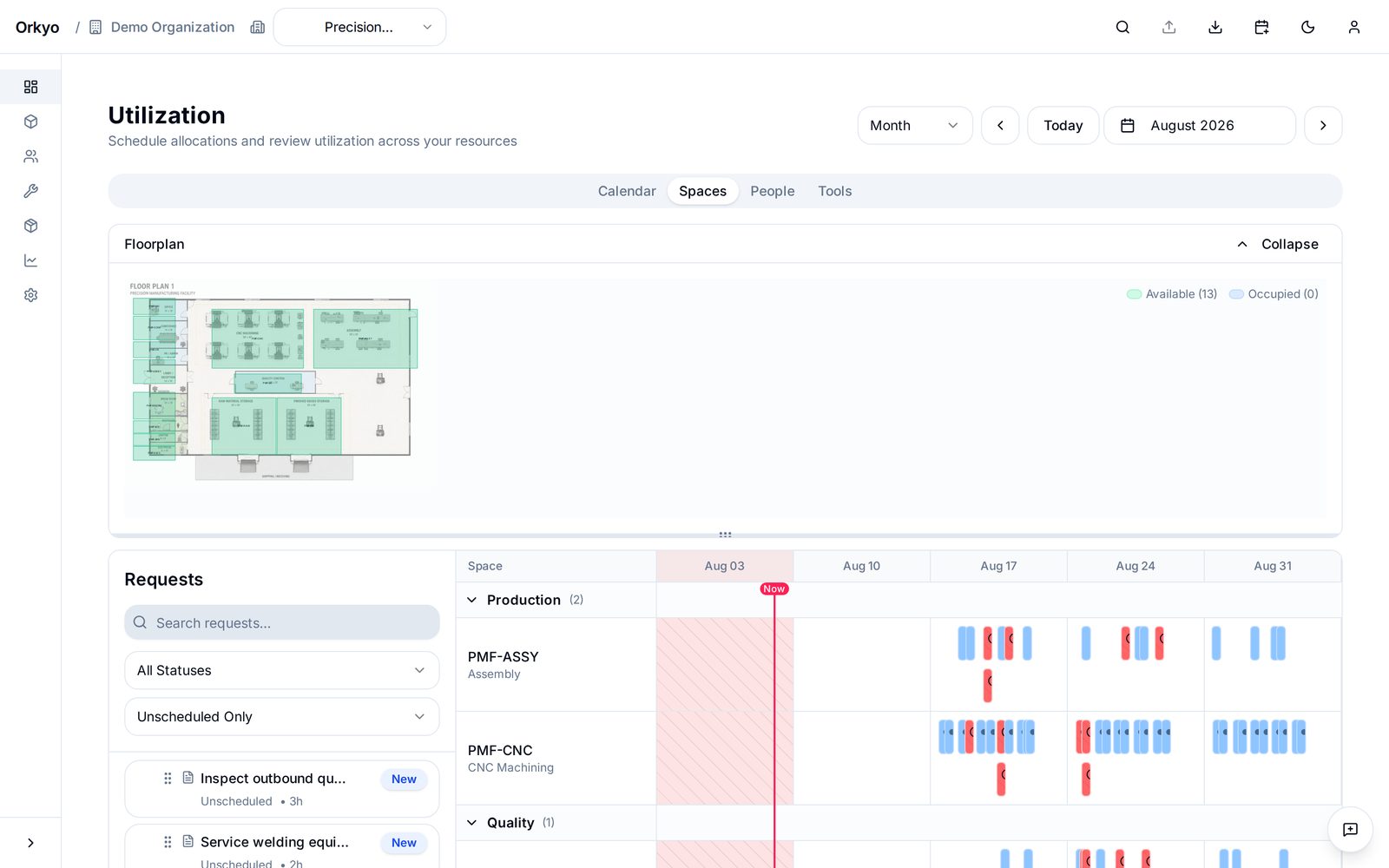
- A routing change means a rebuild. One rush job re-sequences everything behind it, and the sheet gets rearranged by hand. Move a job in Orkyo and the machine, the operator, and the tooling move with it.
- Conflicts stay invisible. Two jobs on one machine look fine in adjacent cells. Orkyo flags the overlap when it is created, not when it reaches the floor.
- The tooling is not in the sheet at all. Most shop schedules track machines and hope the fixture is free. Orkyo books it with the job, so a missing fixture is a conflict rather than a surprise.
- One person owns the file. The plan lives on a laptop and the shop works from a stale printout. In Orkyo everyone reads the same current plan, with roles controlling who can change it.
- Utilization is guesswork. A spreadsheet cannot tell you which machine is the bottleneck. Orkyo tracks how loaded each resource actually is.
We wrote these up in full in Outgrowing the machine-shop Excel schedule — including when to stay in the spreadsheet.
Start with a spreadsheet, or start free
If you are still deciding whether to pay for anything, start with neither. Our free job shop scheduling Excel template is macro-free and needs no sign-up: it lays jobs against your workstations and flags days where booked hours exceed capacity, which is about as far as a spreadsheet honestly goes.
When the sheet stops holding, Orkyo is free for up to five users — not a trial, and no card. See pricing for what the paid tiers add, or open the demo shop and click through a plan that is already populated.
Built for shops, not for enterprises
Orkyo is aimed at shops that have outgrown the spreadsheet but are nowhere near needing an ERP — roughly 10 to 250 people. Setup is measured in days, not in implementation projects. Running a shop built around a fixed set of machines rather than varied routings? The machine shop scheduling page walks through that case.
Read the documentation for how jobs, resources, and sites fit together, or see the full feature list.
See it against your own shop's jobs.