Most machine shops plan in a spreadsheet. It works until the shop grows past it — then one person owns the file, everyone else works from a printout, and a double-booked machine only shows up on the shop floor. Orkyo replaces that file with a live plan.
The machine is the thing you schedule
A mill is a mill. In Orkyo it is its own kind of resource, with its own properties, its own place on the floorplan and its own row on the schedule — not an attribute of the area it stands in. When a job calls for a 5-axis mill, Orkyo matches that requirement against your mills and books the one that satisfies it.
You pick the kinds you actually run. Mills, lathes, presses, assembly and test stations, benches, forklifts, people — activate the ones that describe your shop, rename them to your words, or define a kind nobody thought of. There is no built-in set to work around, because there is no built-in set.
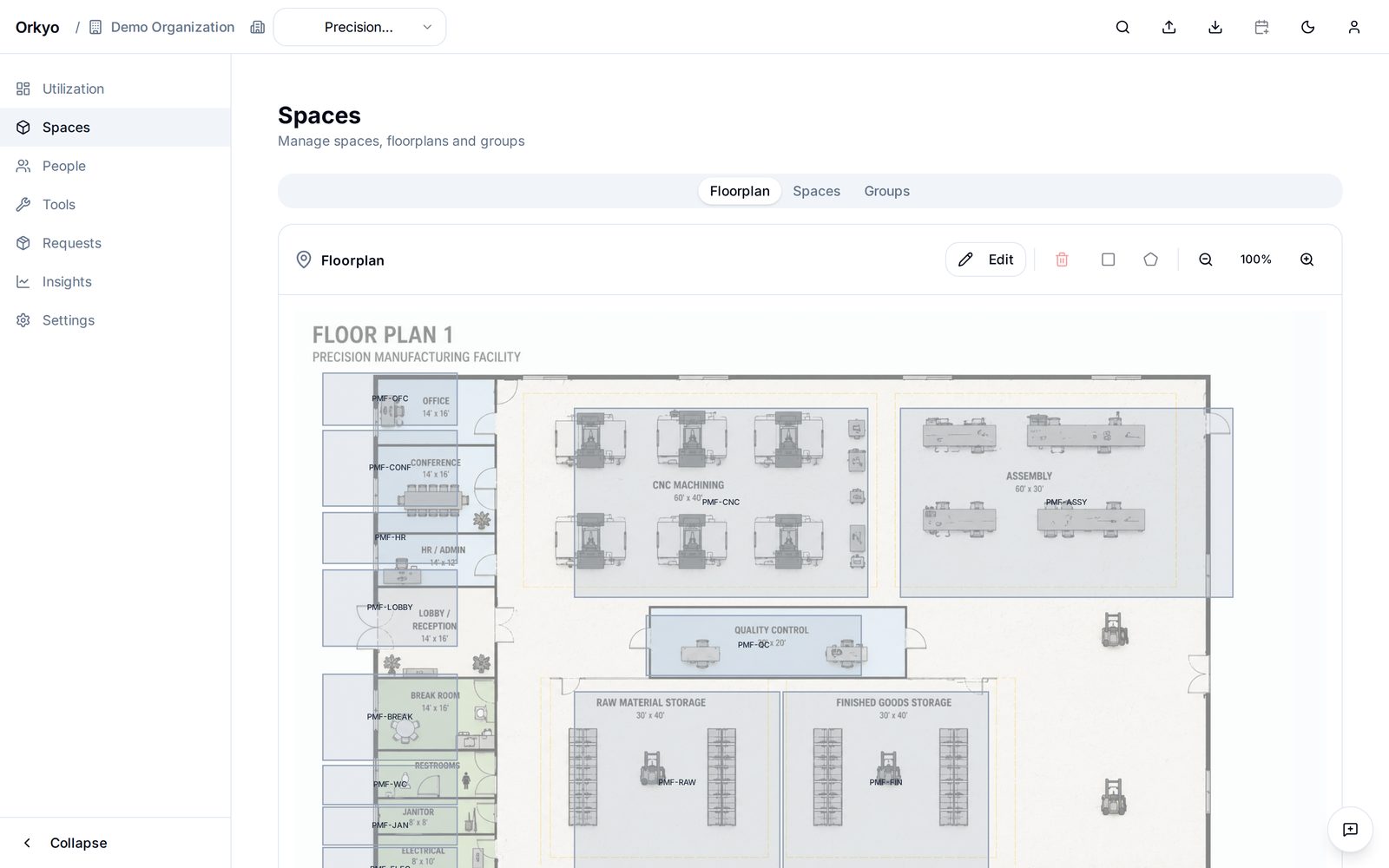
What stands still
Mills, presses, benches, cells — drawn on the site plan and booked by name. Each carries its own capacity, downtime and properties.
What moves
Fixtures, gauges, forklifts, portable equipment — booked alongside the job, and free to move between machines and sites.
Who does it
Operators and setters, matched to jobs by the qualifications they actually hold.
Properties and availability, per machine
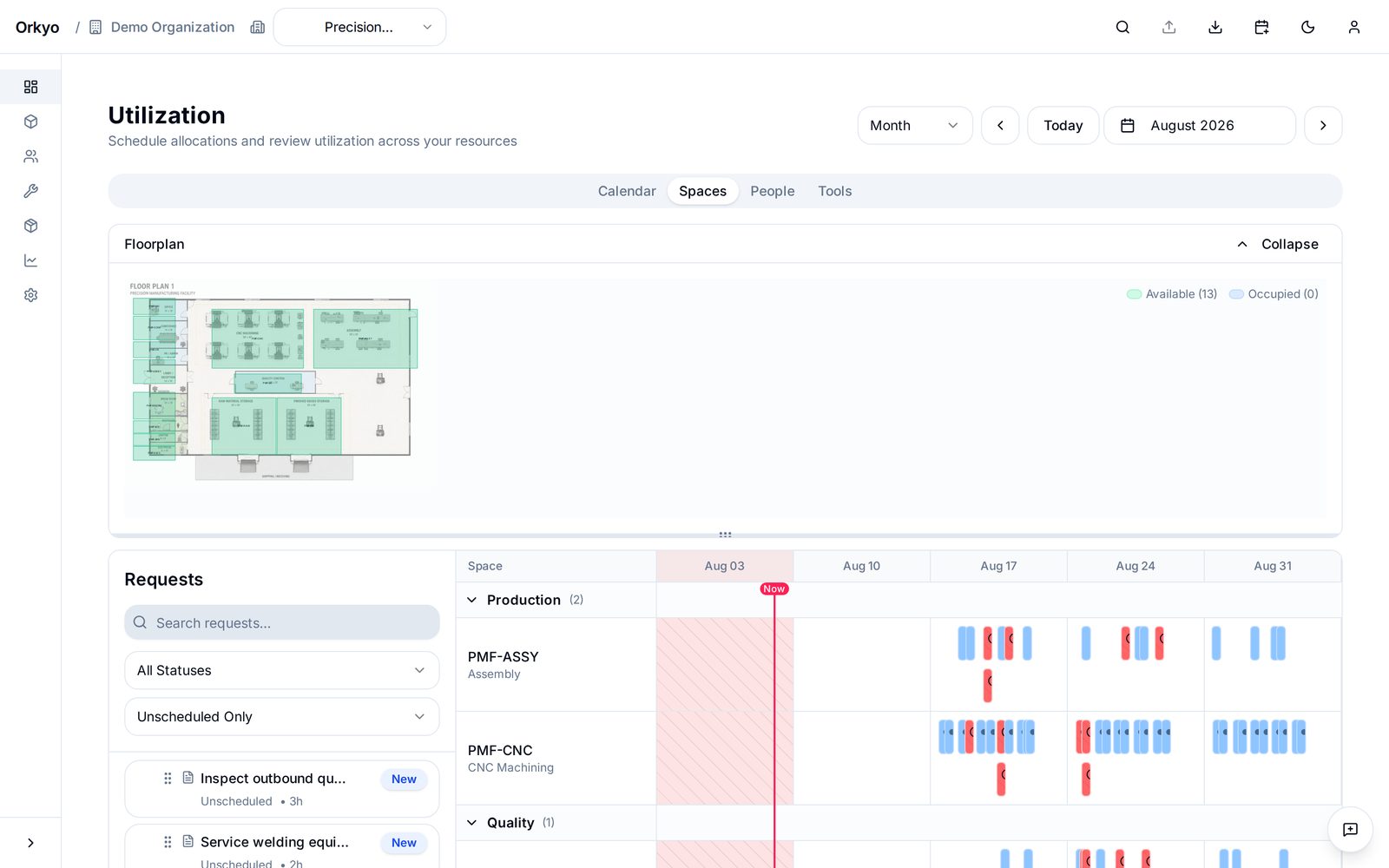
Each machine carries its own capacity, whether it's booked exclusively or shared, its planned downtime for maintenance and changeover, and the site-wide closures it sits under — a shutdown week, a holiday. Take a machine out for a week and every job that was counting on it surfaces as a conflict straight away, rather than on the morning it was due to run.
Whatever a machine needs recorded, record it on the machine. Spindle speed, tool changer positions, the date it was last calibrated, a link to its manual — you define the fields, and they travel with the resource into search, import and export. Keep a maintenance log on it too, as a list of entries that belongs to that machine and nothing else.
Where the scheduling spreadsheet breaks
- Conflicts stay invisible. Two jobs on one machine look fine in adjacent cells. Orkyo flags the overlap when it's created, not when it reaches the floor.
- One person owns the file. The plan lives on a laptop and the shop works from a stale copy. In Orkyo, everyone reads the same current plan, with roles controlling who can change it.
- A change means a rebuild. One rush job and the sheet gets rearranged by hand. Move a job in Orkyo and everything it touches — the machine, the people, the tools — moves with it.
- Utilization is guesswork. A spreadsheet can't tell you which machine is the bottleneck. Orkyo tracks how loaded each resource actually is.
- A second site means a second file. Orkyo plans multiple sites in one place, so capacity in one shop is visible from the other.
We wrote these five up in full in Outgrowing the machine-shop Excel schedule — including when to stay in the spreadsheet. If that's you, take our free capacity-planning template; it flags overbooked days, which is as far as a spreadsheet honestly goes.
Built for shops, not for enterprises
Orkyo is aimed at shops that have outgrown the spreadsheet but are nowhere near needing an ERP — roughly 10 to 250 people. It's a planning tool: capacity, scheduling, and conflicts, at day granularity. Setup is measured in days, not in implementation projects.
Read the documentation for how jobs, resources, and sites fit together, or see the full feature list. If every order takes a different route through the shop, start with job shop scheduling instead.
See it against your own shop's plan.